

Haven Vault · iPhone, iPad and Mac
Your presence is the key.
Unlocked is not safe. Haven keeps checking it's still you.
Share privately, and take it back any time.
iPhone and iPad: free to download, with a free plan · Mac: 3 days free, then $4.99/month · Mac App Store
Haven Vault for iPhone and iPad
Your photos.
Your rules.
A private home for your photos and videos, and a different way to share them. Sharing a photo shouldn't mean giving up control of it.
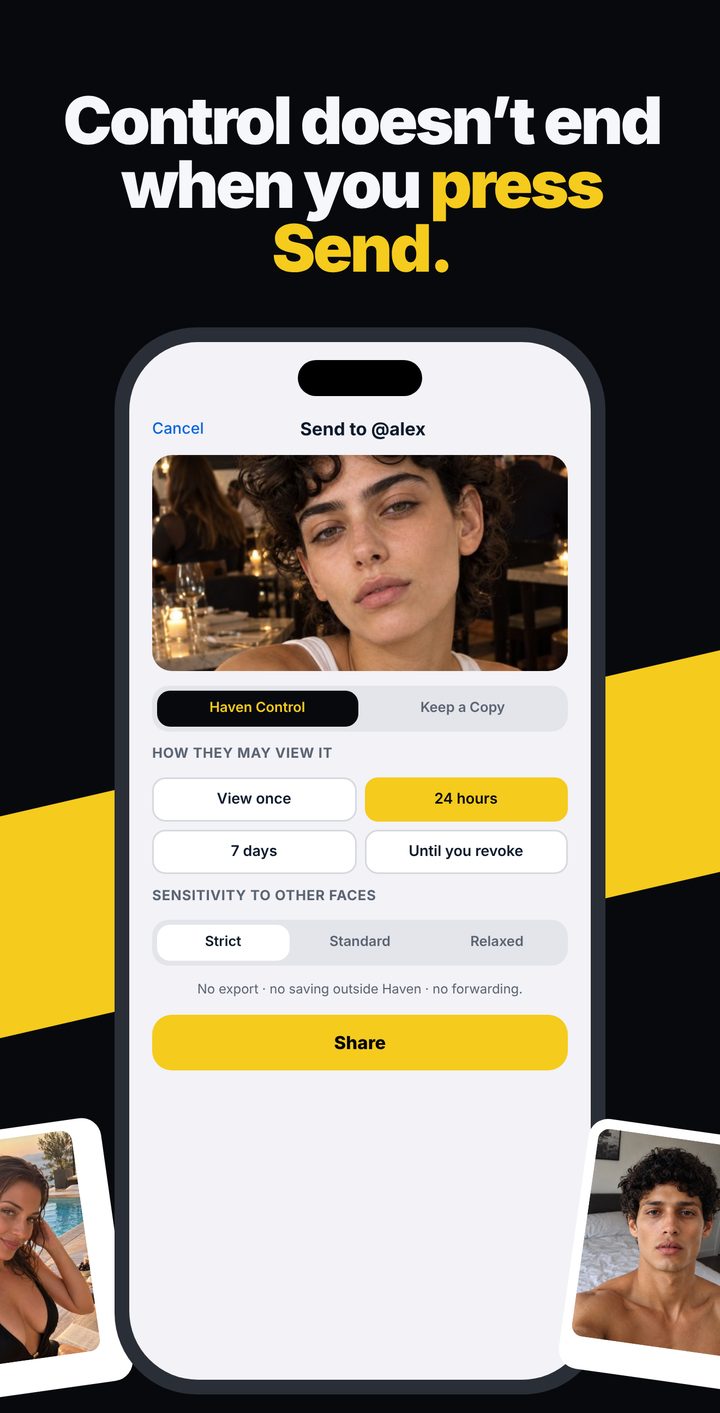
- Share on your termsView once, 24 hours, 7 days or until you revoke. Take it back whenever you want.
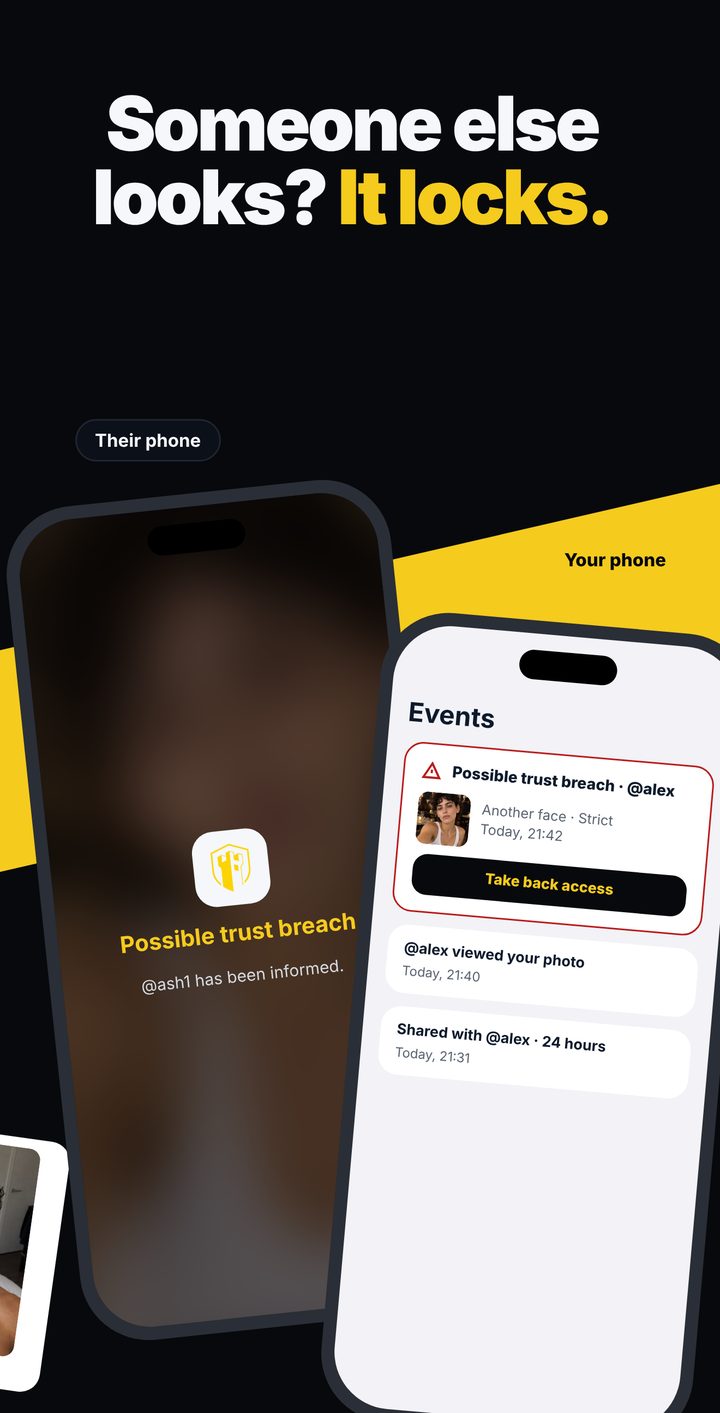
- Someone else looks? It locks.If another face appears while your shared photo is open, it comes off their screen and you see the event.
- Keep a Copy, only when you chooseOtherwise what you share stays under your control, in their Shared with me.
- Haven CameraTake photos and video straight into your vault. Each one can carry a signed Haven Origin record.
- Stays on your deviceYour vault and face data stay on your iPhone or iPad. Shares are encrypted before they leave it.
Free to download. iOS 17.2 or later. Prices are below.
Haven Vault for Mac
Private files and photos on your Mac
Your face is the key. No password.
Enrol once. The vault opens when Haven recognises you, then stays open only while you are in front of it. Step away with a file or photo open and it is covered in about 2 seconds — and it comes straight back when you return.
Folders for what matters
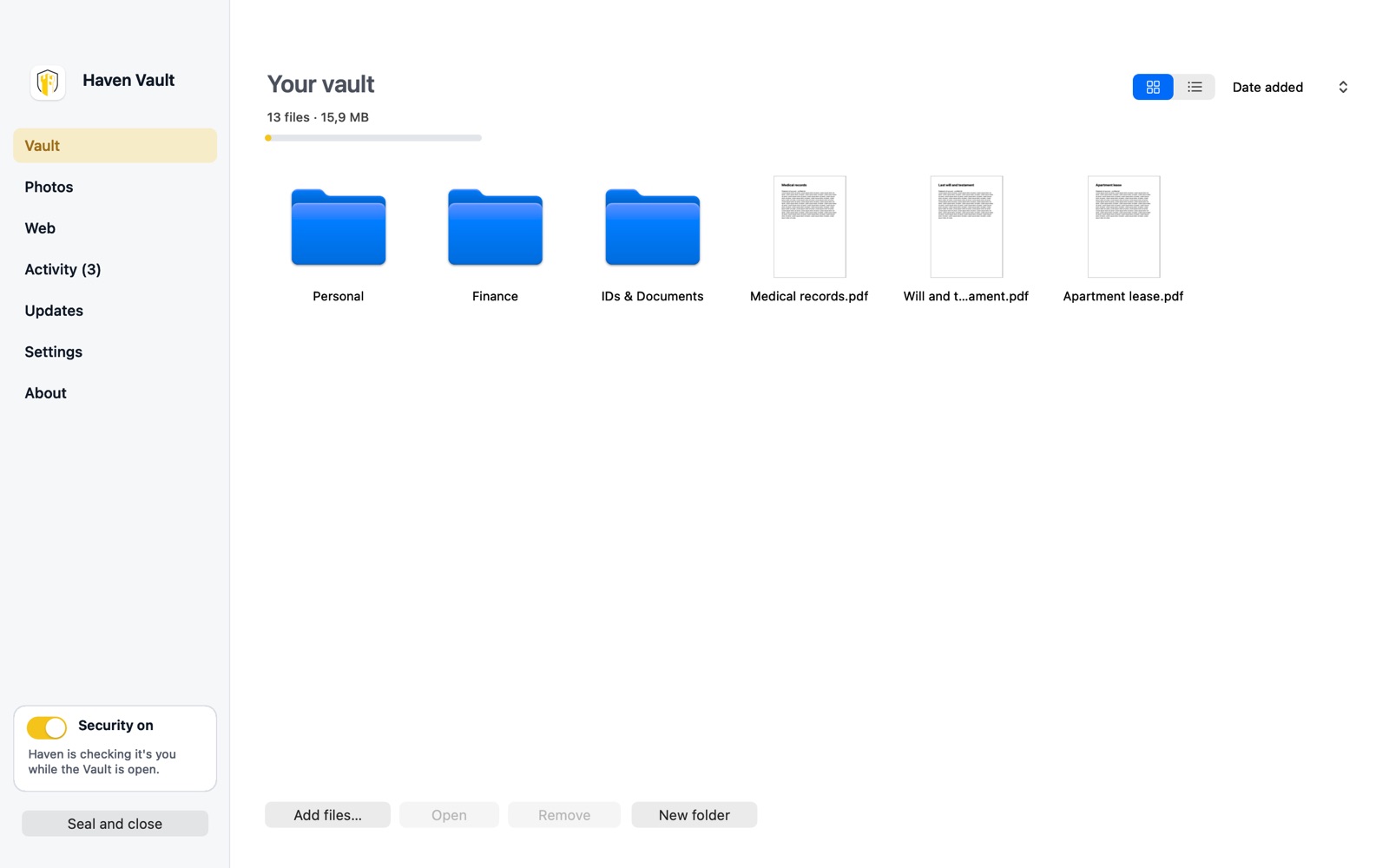
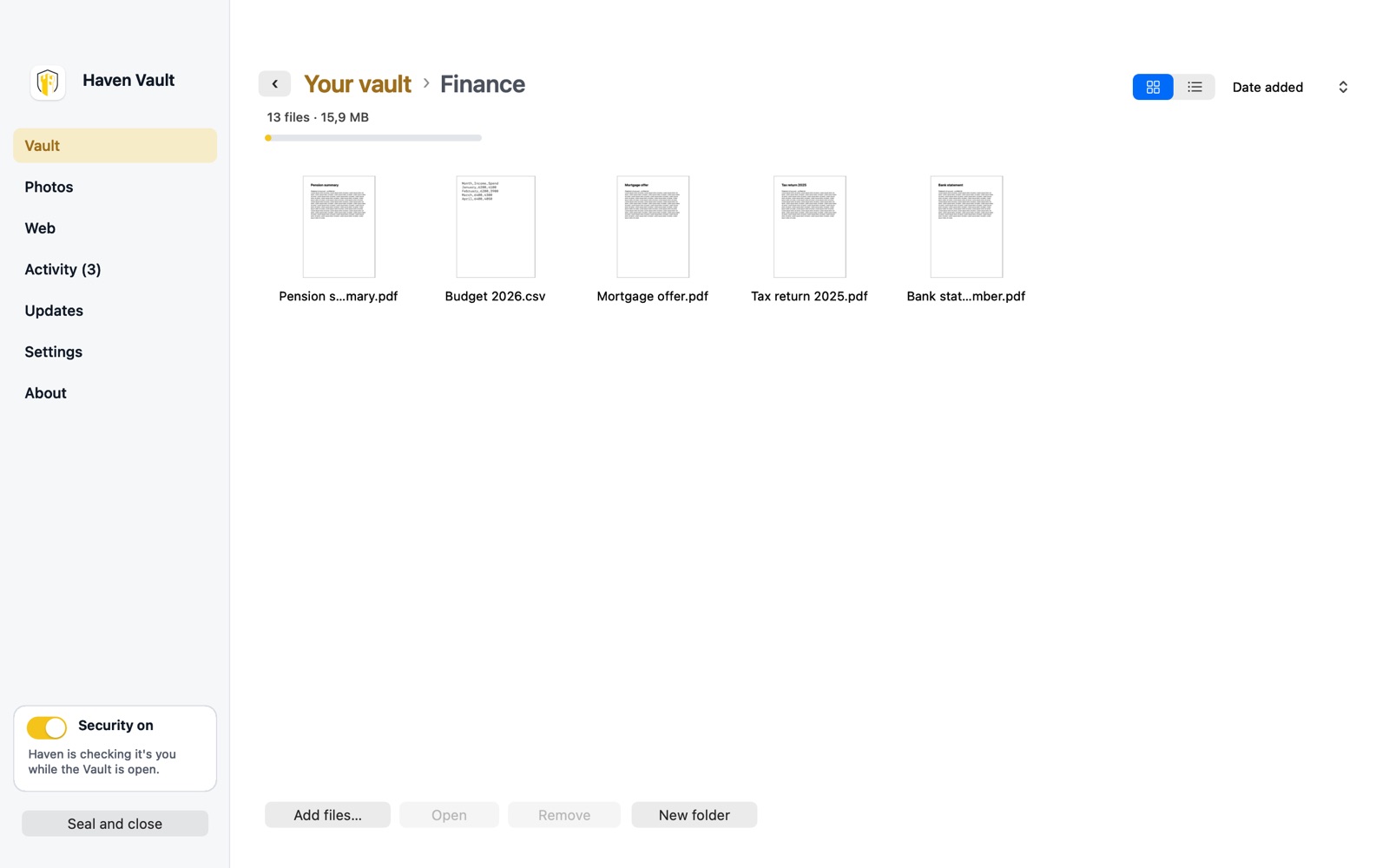
Drag in passports, contracts, statements and medical records. Organise them like a desktop — folders, thumbnails, drag and drop — with Personal, Finance and IDs & Documents ready to go. Everything is encrypted on your Mac.
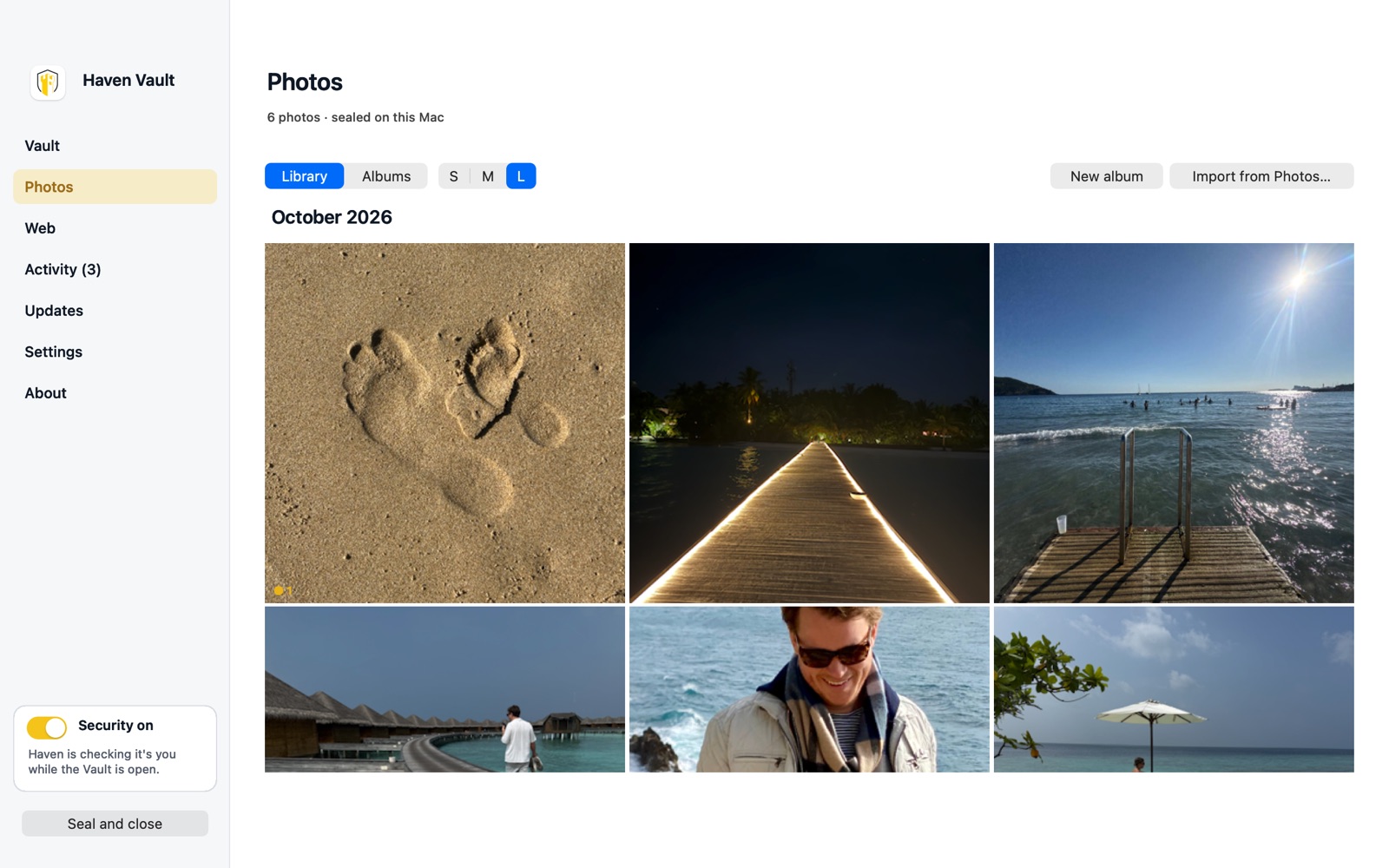
A private photo library
Photos get their own library and albums, kept apart from your files. Import from Apple Photos and choose whether to remove the originals, so the private ones are no longer sitting in your camera roll.
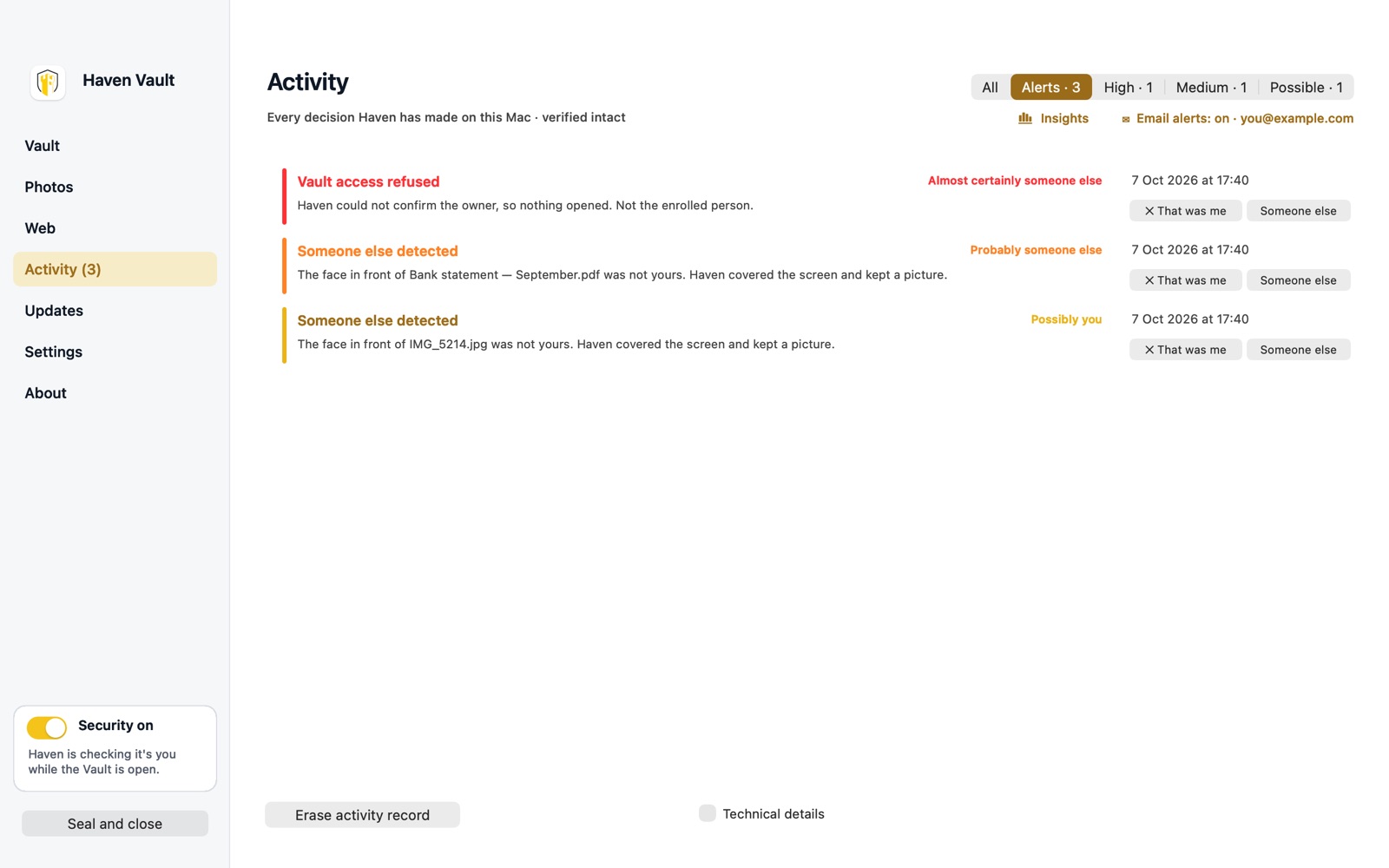
Know if someone tried
If someone who is not you tries to open the vault, or appears in front of a file you left open, Haven covers it and keeps a picture of who it was. Alerts are graded by how sure Haven is — mark “That was me” to clear one. Turn on email alerts and Haven can email you the picture when it is confident it wasn’t you.
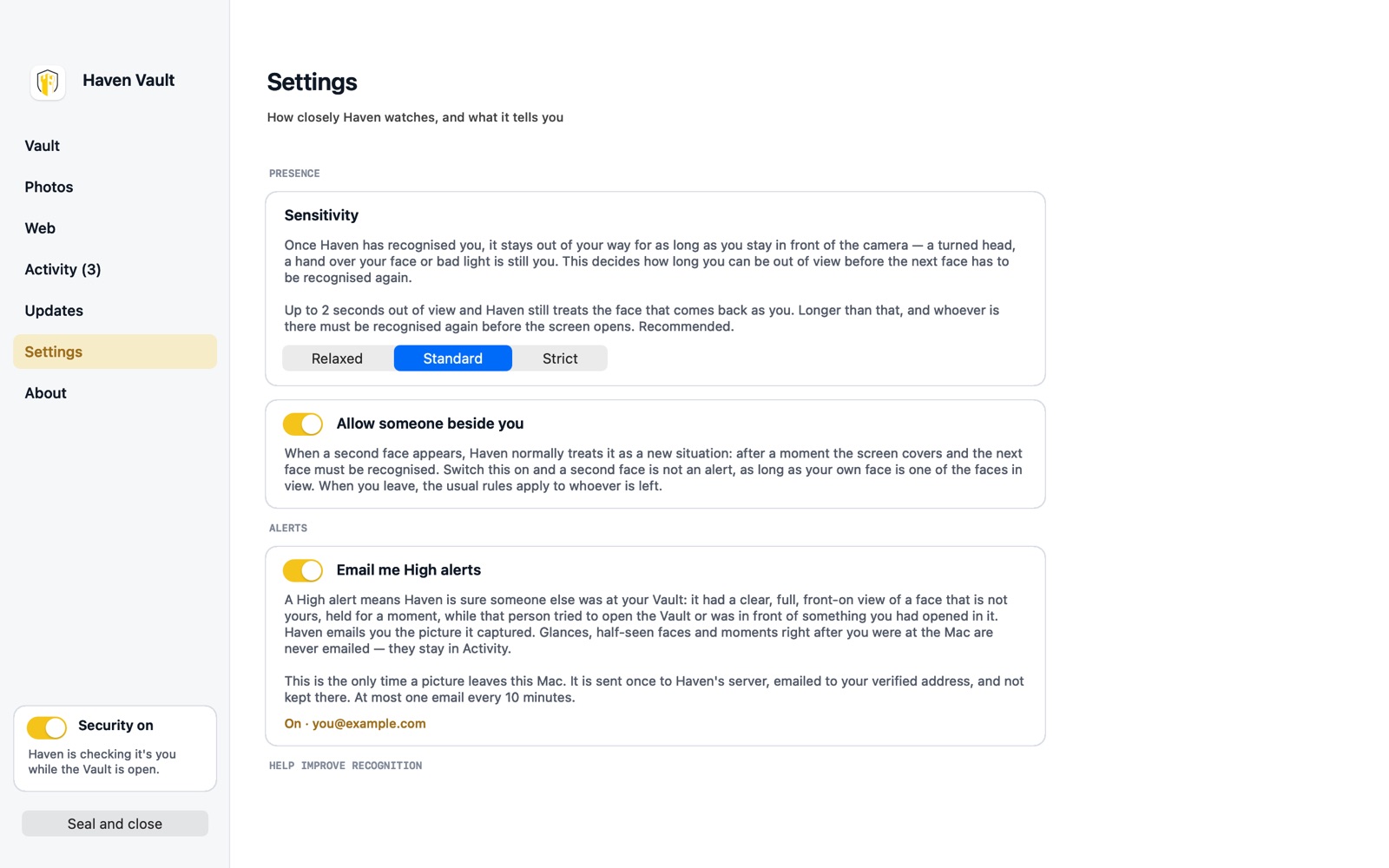
Set it the way you work
Choose how quickly Haven covers things when you step away — Relaxed, Standard or Strict. Allow a partner beside you while you are there. Pause protection for a few minutes when you are sharing your screen. Everything is in Settings, in plain words.
Honest about what it does
Your face measurement and your vault stay on your device. On Mac, Haven sends anonymous recognition statistics to improve accuracy (you can turn this off in Settings), and only emails you a picture if you switch email alerts on. On iPhone and iPad, what you share is encrypted before it leaves your device, and usage statistics can be switched off in your profile. The details are in the privacy policy.
Being precise about the boundary: a good photograph of you can sometimes satisfy face recognition. When Haven can't see natural movement, it asks you to turn your head or lean in — something a still image cannot do. That is a deterrent, not a certified defence against someone holding your device and a good picture of you. Every decision Haven makes is written to a tamper-evident activity record, so you can see what happened while you were away.
What it costs
On iPhone and iPad, Haven Vault is free to download and has a free plan. On Mac it is one subscription, with 3 days free to start.
| iPhone and iPad | Mac | |
|---|---|---|
| Price | Free plan, or Premium at $4.99/month | $4.99/month |
| To start | 3 days of Premium for every new Haven ID | 3-day free trial |
| Private vault and albums | Free | Included |
| Opens with your face, keeps checking while open | Yes | Yes |
| Private sharing you can take back | Free monthly credits; unlimited on Premium | Not on Mac |
| Alerts with a picture of who tried | Yes | Yes, with optional email |
| Private browser, covered when you step away | No | Yes |
The price is the US one; the App Store shows yours before you confirm. Renews monthly until you cancel in your App Store account.
If you stop paying, you keep your files. On Mac, Haven still confirms it is you and lets you open or export everything already in the vault. On iPhone and iPad you move to the free plan. There is no version of Haven that holds your own documents away from you.
Get Haven Vault
Download on the App StoreFree on iPhone and iPad. 3 days free on Mac, then $4.99/month. Mac App Store